Marking as Done
✅ Marking as done
"Done" keeps your Inbox clean. It makes visible which threads have already been handled and which still need attention.
Especially when several channels run in parallel or you work in a team, "Done" is a key organizing signal. It prevents topics from being handled twice or slipping through the cracks.
If you want to get to know the Inbox as a whole first, start with the Introduction to the KNOWYOURCHAT Inbox.
When should you mark something as done?
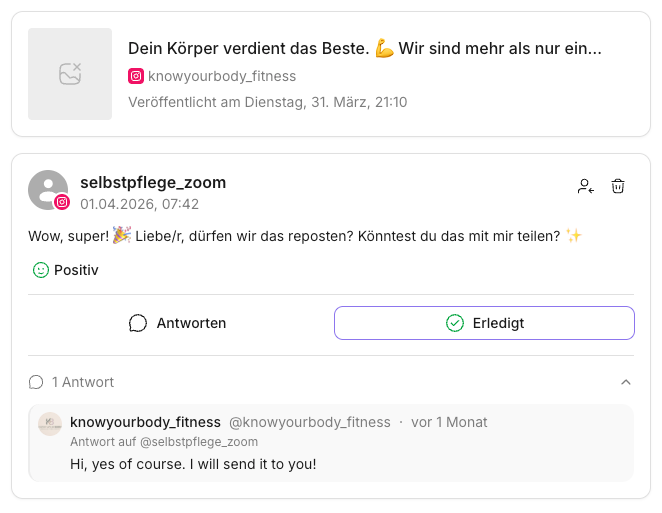
Mark a thread as done when the task is clearly completed.
Typical examples:
- You replied and there are no open follow-up questions.
- You clarified internally what needs to happen, and the next step lies outside the Inbox.
- It was just an FYI or a comment with no action needed.
Step by step: marking as done
- Open the Inbox.
- Select the relevant thread on the left.
- Briefly check the context (post, platform, previous messages). If you're unsure about context, history, or metadata, see: Understanding Inbox elements.
- Reply or resolve the case.
- For replying directly: Replying in the Inbox
- If it should go to a specific person in your team: Assigning & collaboration
- Click "Done".
The thread then disappears from "Open" and reappears in the "Done" tab.
✅ Quick Start: Reply first, then mark as done. That way "Open" truly stays your work list.
Related pages
Need personal help? Email us at support@knowyourchat.de