How Do I Filter by Account?
👥 How do I filter by account?
If you manage multiple social media accounts, the account filter is your fastest way to see only the posts that are relevant right now.
If you want to understand filtering in general first, start with What can I filter by in Posts?.
The account filter is the quickest way to "tidy up" the workbench. Especially when several channels, brands, or teams work in one Workspace, the card view can quickly feel like one big pile.
With the filter, you decide which accounts appear in your view at all. That has two advantages:
- You work with more focus because you only see what belongs to your current area of responsibility.
- You reduce mistakes because you're less likely to work on posts for the wrong account.
How to filter by account
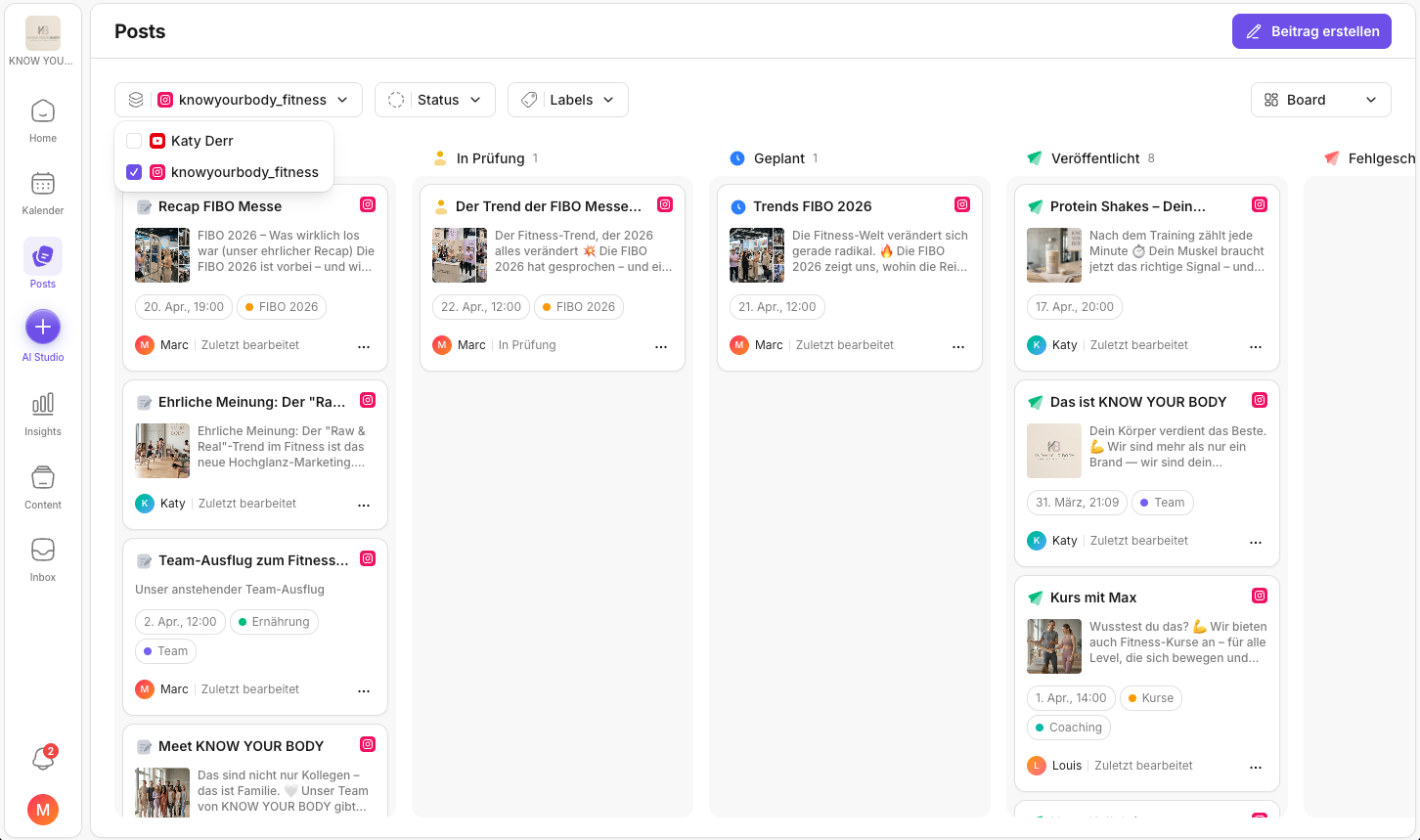
- Open Posts.
- Click Account in the filter bar at the top.
- Select one or more accounts.
- The workbench instantly shows only posts from the selected accounts.
Typical use cases
If you prefer working by status instead of by account (e.g. "Waiting for approval"), Approval & review in Posts is a good next step.
- You only want to see Instagram posts.
- You're planning a week for a specific account and want to bundle "everything about it".
- You switch between clients/brands and want to keep the workbench "clean".
Tip
If you get the impression that posts are missing, reset the account filter once.
If accounts are missing or can't be selected, it's usually down to the connection or permissions → Adding social media channels.
If something still seems "off" after that, start with Troubleshooting the KNOWYOURCHAT Calendar.
Related pages
Need personal help? Email us at support@knowyourchat.de