The Difference Between Calendar and Posts in KNOWYOURCHAT
🗓️ Calendar vs. Posts
Both areas work hand in hand but serve different purposes: the Calendar in KNOWYOURCHAT is your timing and overview view. The Posts area is your workspace for producing and working through content.
In a nutshell
Calendar
- Focus: schedule & overview
- View: calendar (month/week/day)
- Question it answers: "What goes/went live when?"
Posts
- Focus: creating & executing
- View: cards/overview with filters and statuses
- Question it answers: "What do I need to work on next?"
What is the Calendar?
The Calendar is ideal when you want to plan or coordinate.
Typical use cases:
- You want to see how full the month is.
- You want to find gaps in your plan.
- You want to move publications or distribute them better.
- You want to quickly show in meetings what happens when.
What the view in the screenshot shows you:
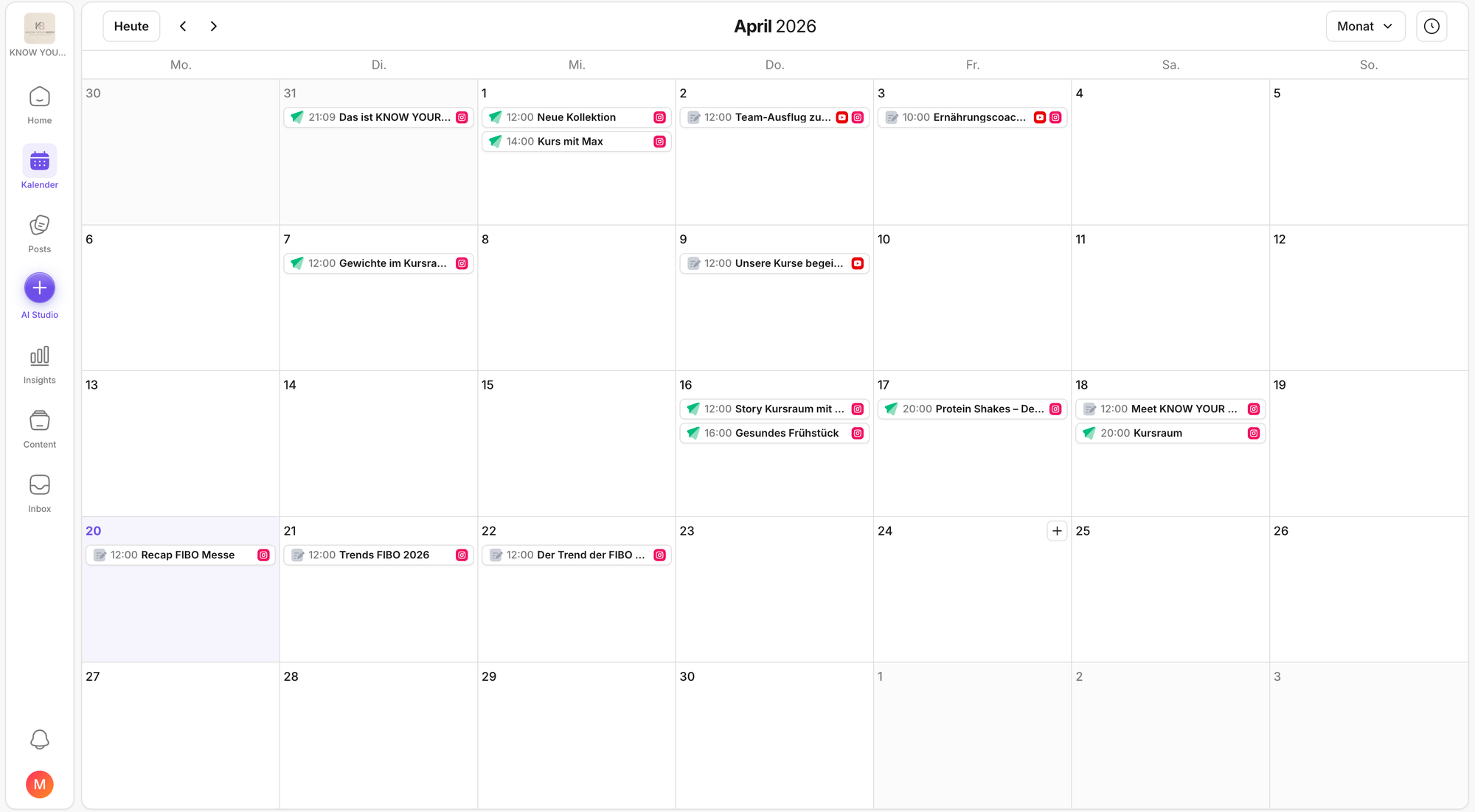
- a classic month view with planned content per day
- quick orientation on times, channels, and clusters
- you can use the plus in the Calendar to create a new post directly, which takes you to the regular post editor.
What is Posts?
Posts is where you actually "produce" content and work through it.
Typical use cases:
- You want to create many posts back to back.
- You want to filter by status, for example "Draft", "Scheduled", "Waiting for approval"
- You want to label content or organize it into series/campaigns.
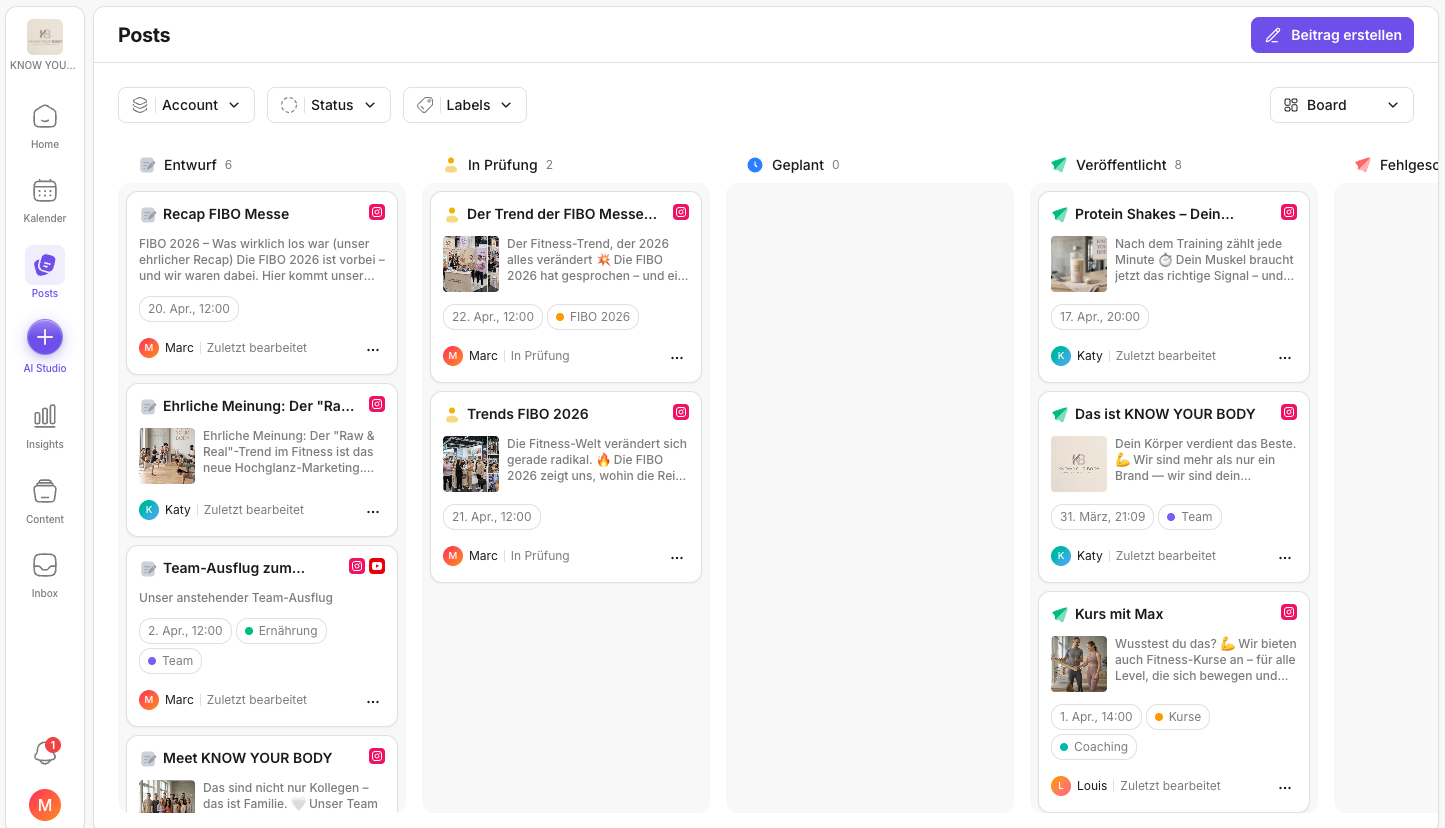
- You want to quickly see what's currently in progress.
What the view in the screenshot shows you:
- a gallery or list overview with previews
- filters/sorting for working through items more efficiently
How they work together (best practice)
- In Posts you create the post and move it into the right status.
- In the Calendar you check timing, distribution, and the final plan.
Related articles to read next
If you want to jump from the basic logic (Calendar vs. Posts) into hands-on usage, these pages are the best next steps:
- How do I create a post in Posts? Helpful if you want to start creating right away.
- Which views are available in Posts? Handy if you switch between gallery, list, or kanban and want to work faster.
- How do I create posts across platforms? If you want to create content once and adapt it cleanly for multiple platforms.
- Labels for posts: If you want to cleanly tag campaigns, formats, or priorities and filter by them afterwards.
- Introduction to the activity log: Helpful if you want to trace as a team what was changed on a post or why something failed.
- Getting started with KNOWYOURCHAT: If you want to set up the whole process in one go (channels → team → content → community).
Need personal help? Email us at support@knowyourchat.de