What do I see under "Recently published"?
The "Recently published" area is your quick look at your latest posts. You see the title, account, and publication time.
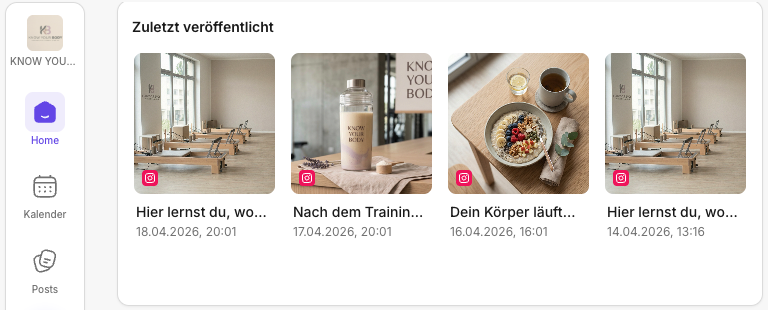
What matters is how you frame it: this is a signal check, not a detailed analysis. If you really want to understand why something works (or doesn't), you then jump into Insights by clicking the relevant post.
What do you see in the tile?
For each entry you typically get:
- the post title and the account
- the time of publication
How do you interpret this area sensibly?
- If a post starts normally, you don't need to do anything.
- If a post starts unusually weak, a quick check is worth it.
- If a post starts unusually strong, that's a cue to take a closer look and repeat the pattern.
If something catches your eye: the fastest check
If the numbers seem "off" or you spot an outlier:
- Check the account: Is the right account connected and active? If not: Add social media channels.
- Check the timing: Was the timing planned or spontaneous? Does it fit the platform? For planning and slots: Calendar.
- Check the hook: Is the first line / are the first seconds clear enough? If you want to iterate quickly: in Posts.
- Open it in Insights: That's where you get the real details (traffic sources, watch time, interactions, depending on the platform) in Insights.
Quick start
If you only have 2 minutes:
- Look at your latest post.
- If it stands out, open it immediately in Insights.
Rule of thumb: "Recently published" shows you what is happening. Insights explain why.
🔗 Further reading
- You want to jump from Home straight into the right module: Jumping from Home into the right areas
- You want a better understanding of KPI tiles and delays: Home logic: How are KPIs & best performers calculated?
- You want a fixed daily routine: Daily routine with Home (5-minute check)
- If you suspect numbers differ because of sync/platform limits: Supported platforms
Need personal help? Email us at support@knowyourchat.de