Introduction to the Posts area
What you see in 'Posts'
In the Posts area, you'll find all your posts in one central place. For each post, the overview shows the most important info, so you can "read" content in seconds:
- Status: makes it immediately clear whether a post is still a draft, stuck in review/approval, already scheduled, or already published.
- Platform(s): shows you which channels the post is intended for.
- Caption & metadata: you recognize the post quickly and can compare posts precisely (e.g. via labels or timestamps).
That way, you no longer have to jump between different areas to understand: Where does the post stand right now – and what's the next sensible step?
3 views – depending on how you work
The Posts area offers you three views. You can switch anytime – depending on how you prefer to work:
List
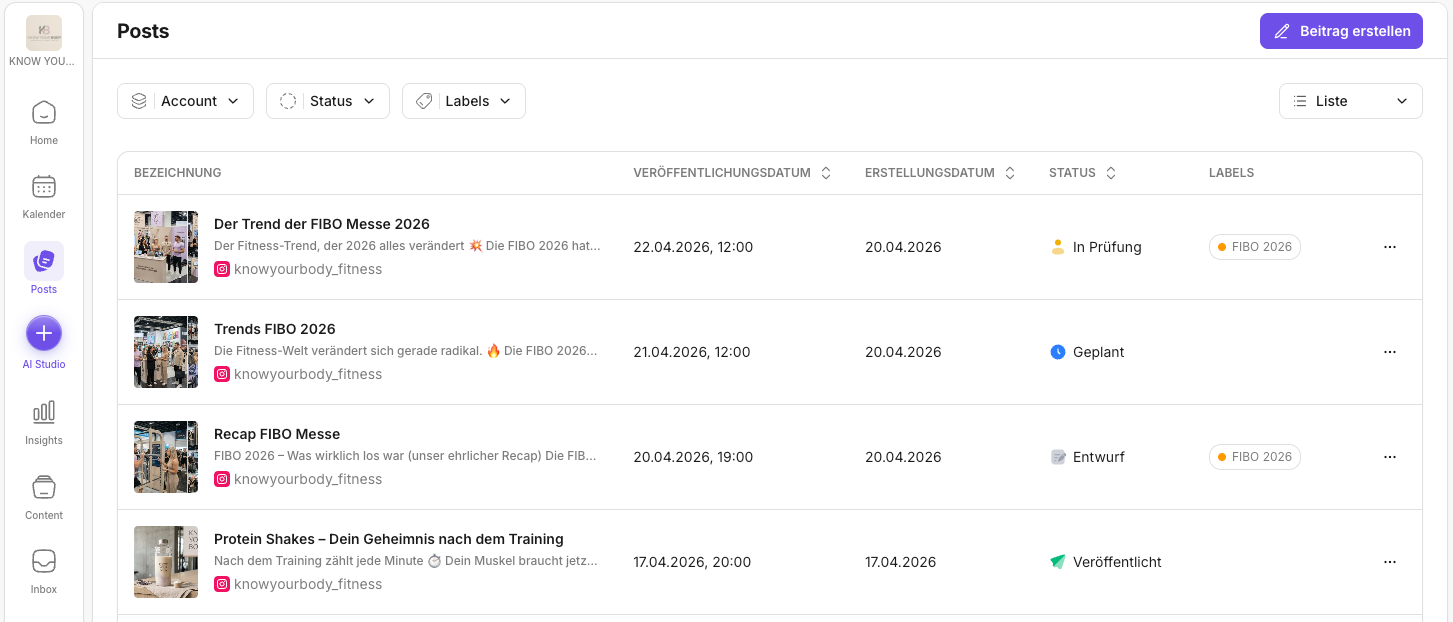
The list view is perfect when you want to scan quickly, sort, and compare details – for example by publish or creation date, status, or labels.
Gallery
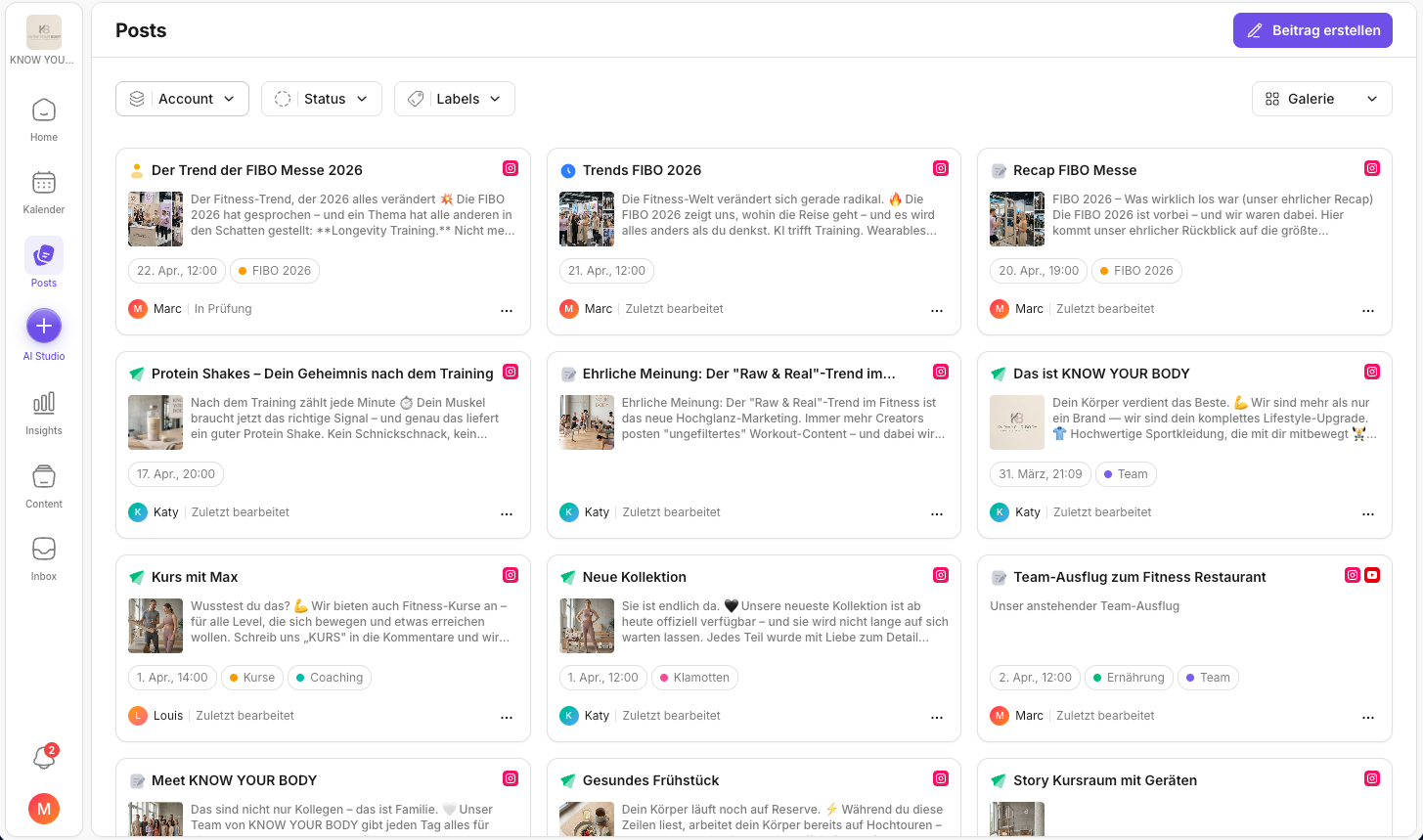
The gallery view is ideal if you work visually and want to quickly see how drafts/posts look – especially helpful if you work a lot with media content.
Board
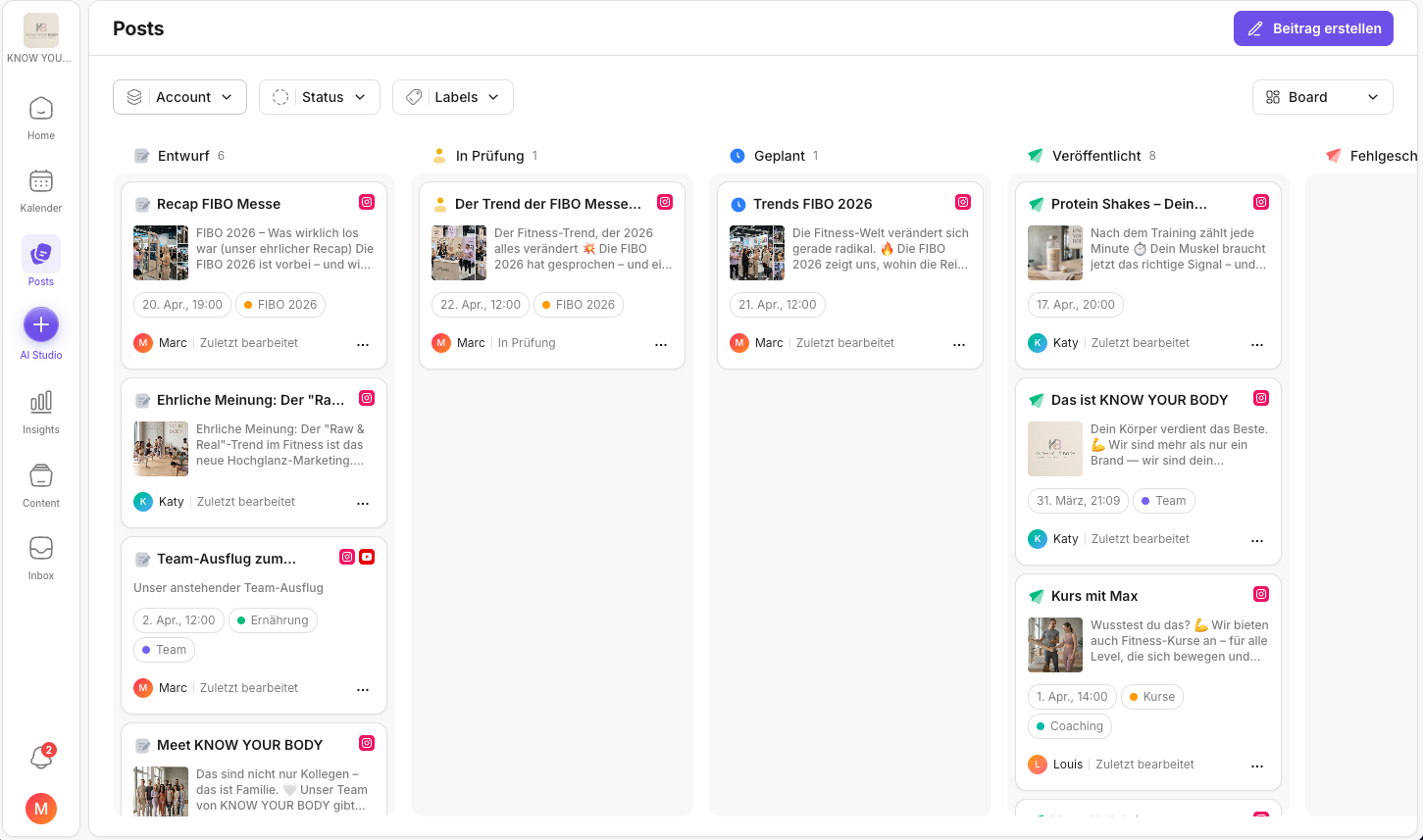
The board is great for managing your workflow like a Kanban: you see posts grouped in status columns and recognize at a glance what's a draft, what's stuck in review, what's scheduled, or already published.
Filtering, sorting & querying
Whether list, gallery, or board: in all views, filters let you display exactly what you need right now – e.g. by:
- Account
- Status
- Labels
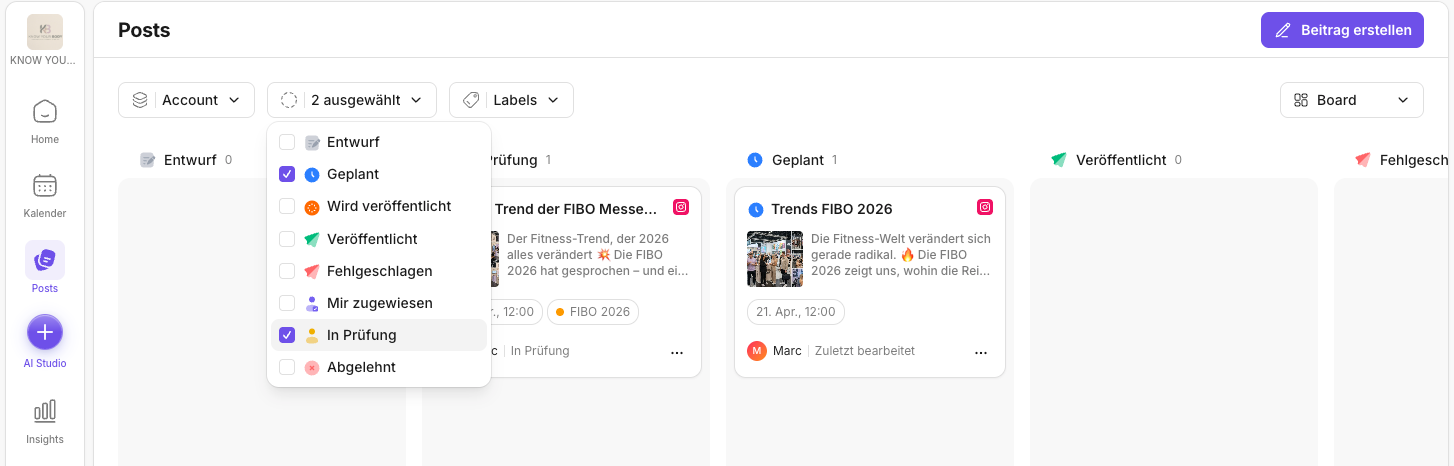
Typical examples:
- "Show me only posts for Instagram"
- "Show me everything waiting for approval"
- "Show me only posts with label XY"
This turns Posts into a real content dashboard: you don't just see "lots of posts", but exactly the selection you can sensibly work on next.
Continuing to edit posts
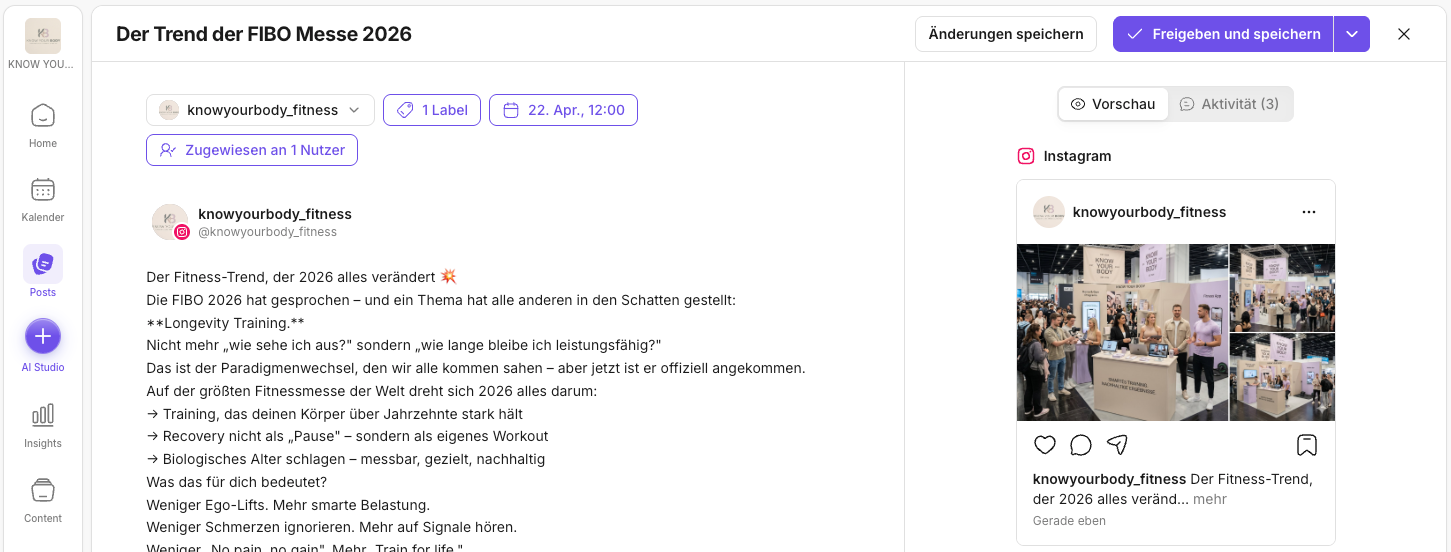
From the Posts area, you can open posts directly and continue working on them:
- Adjust details
- Add media
- Finalize captions
Approval, scheduling, or publishing
Once everything fits, you decide – depending on your workflow:
- publish immediately
- schedule for later
- hand it to the team for approval
Platform-specific options
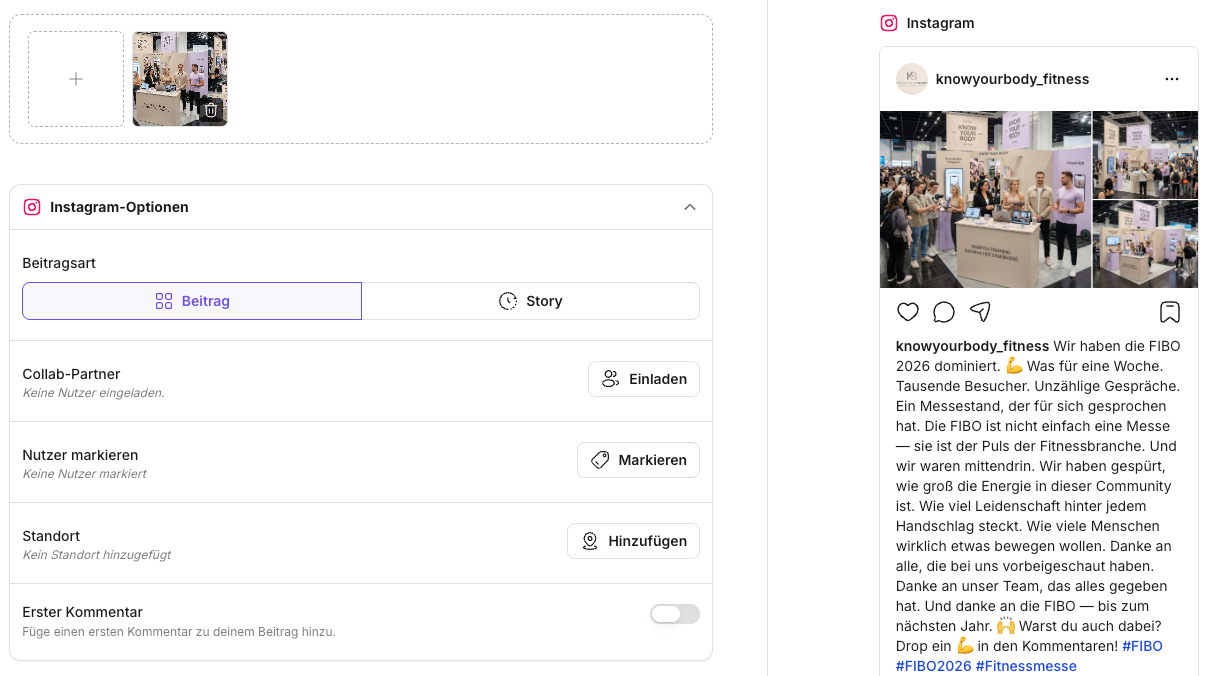
Besides title, caption, media, scheduling, and approval, Posts also lets you set platform-specific options. Taking Instagram as an example, you'll find the "Instagram options" section in the post. Depending on the post type (post or Story), you can, among other things:
- Invite collab partners: invite other accounts as collab partners so the post can be published jointly.
- Tag users: tag relevant profiles directly in the post (e.g. partners, customers, or speakers).
- Add a location: add a location if the post has local context (event, store, location content).
- Prepare a first comment: optionally set up a first comment (e.g. for hashtags, sources, or an additional CTA) that gets published together with the post.
This ensures the post isn't just "finished writing", but also uses all the platform-typical features that improve reach, discoverability, and collaboration.
✅ Quick start: First filter by status = waiting for approval (or similar) and work through those posts first. That way, you clear your review backlog before creating new content in batches.
Related pages
Need personal help? Email us at support@knowyourchat.de