Approval and Review in Posts
📝 Approval and review in Posts
Approvals make sure posts are not only created but also properly aligned. In Posts, you can always see what still needs feedback, what is approved, and what can be scheduled or published next.
A good approval process reduces follow-up questions, prevents last-minute changes, and ensures everyone on the team works by the same logic. The workbench is your "work-through place": this is where drafts are created, reviewed, and moved into the next status.
If you first want to get a general sense of the workbench, start with Introduction to the Posts area in KNOWYOURCHAT.
If you'd rather understand statuses and approvals from the calendar perspective, see Understanding statuses & approvals in the Calendar.
1) Requesting approval
Once your post is content-ready, you request approval.
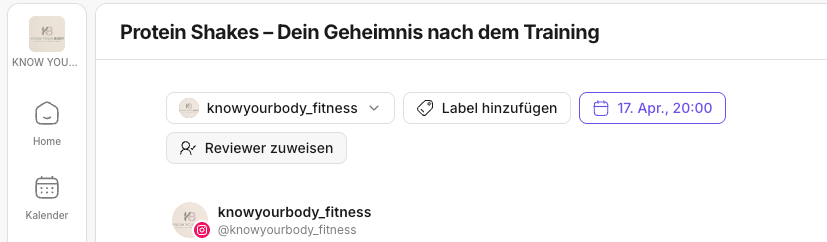
Typical workflow:
- Open the post.
- Do the final checks (text, media, labels). (Labels guide: Labels in Posts)
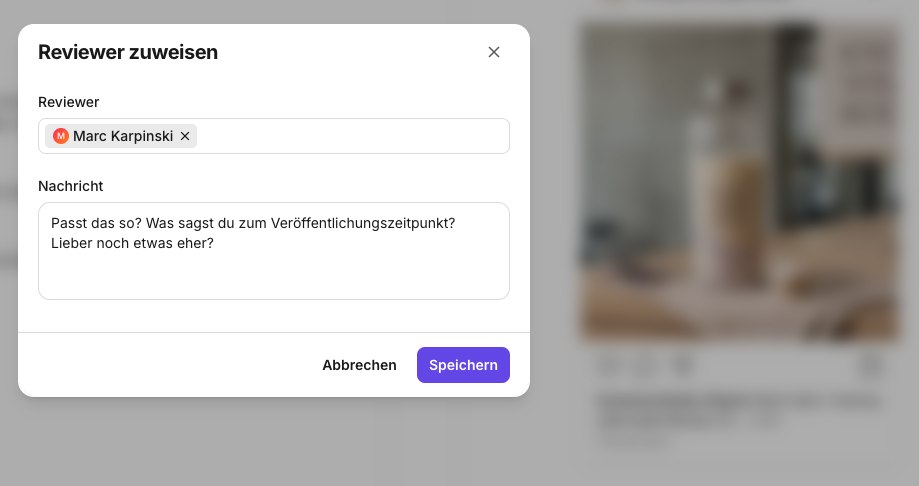
- Click Assign reviewer at the top.
- Select an authorized person from your workspace, add a message for them if needed, and then click Save.
- Once the post is prepared, you can click Request approval at the top right.
- The post moves into a review status.
2) Responsibilities (who does what?)
Approvals work best when roles are clear:
- Creator: creates the draft and incorporates feedback
- Editor: checks content, tone, brand, approval criteria
Who is allowed to perform which actions depends on roles & permissions.
For the team setup (Admin, Editor, Creator, Viewer), see Inviting your team & assigning roles (Admin, Editor, Creator, Viewer).
3) Notifications
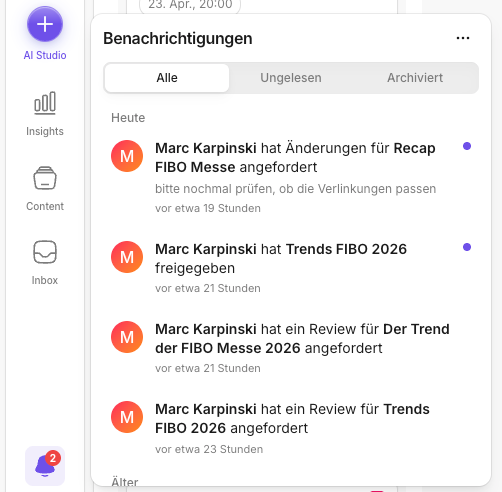
So that approvals don't get stuck, KNOWYOURCHAT informs you via:
- In-app pop-ups when a post is assigned to you for approval
- Email notifications when your role includes responsibilities
If you want to understand which notifications exist (and what they mean), see Notifications.
4) Activity log / traceability
You'll find the activity log directly in the post view / post editor at the top right.
You'll find a detailed explanation here: Introduction to the activity log.
In the activity log, you can trace:
- who changed what and when
- whether an approval was requested
- which status changes happened
This is especially helpful when a post has "stalled" or something wasn't published.
✅ Best practice: Set clear labels and an unambiguous status flow. Then it's always immediately visible in the calendar and in the workbench what is approved and what is still waiting for feedback.
If you want to continue scheduling posts after approval, use the Calendar.
Related pages
Need personal help? Email us at support@knowyourchat.de