Calendar Views: Month and Week
Depending on the task, you need a different perspective. In KNOWYOURCHAT, you can switch between several calendar views to either plan far ahead or work in detail.
If you first want to get to know the Calendar as a whole, start with the Introduction to the KNOWYOURCHAT Calendar.
Month view
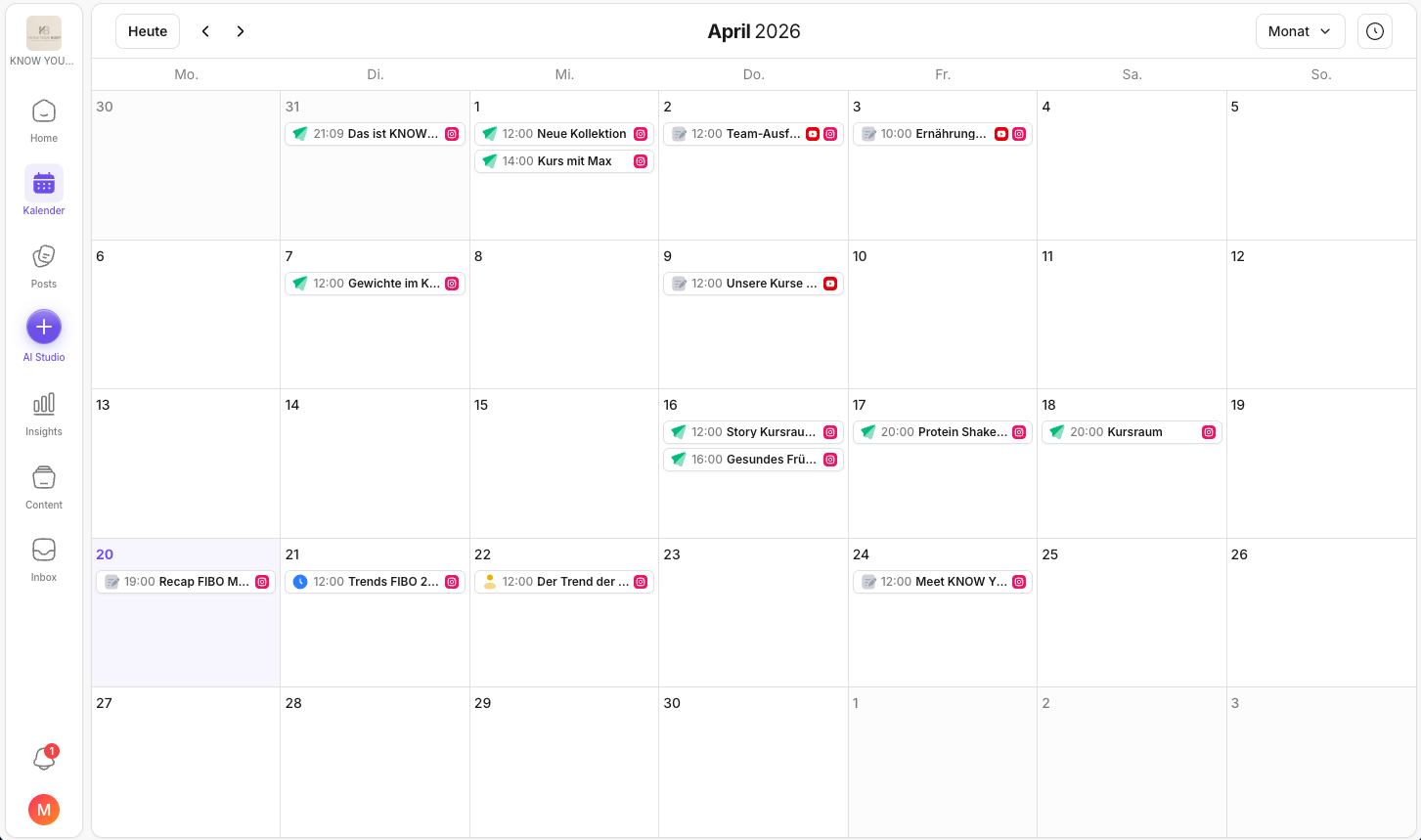
The month view is your "strategy lens". It helps you see the plan as a whole: Is the week too packed? Are there quiet days? Are campaigns evenly distributed? Especially for team alignment, this is the fastest view for spotting patterns and gaps.
If you want to create a post directly from this planning view, continue with How do I create posts in the KNOWYOURCHAT Calendar?.
Best for:
- campaign and topic planning
- checking frequency (too much, too little, too uneven)
- finding gaps in the plan
Week view
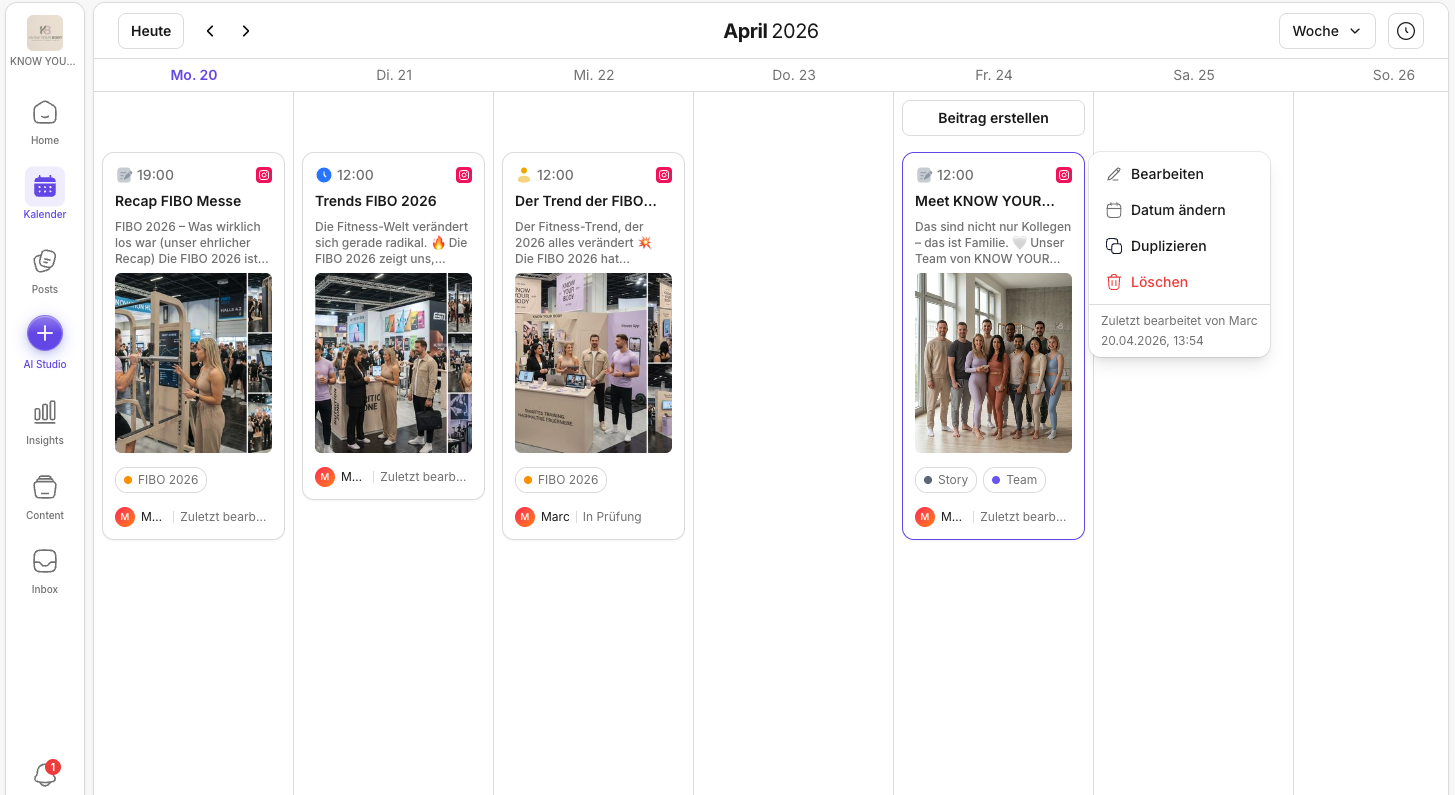
The week view is your "alignment lens". Here you check whether the next few days are realistic and whether reviews or approvals are still missing.
Best for:
- fine-grained planning with the team
- coordinating dependencies and approvals
- a realistic distribution across the week
If you'd rather work in a task-style list instead of the calendar (by status, labels, or responsibilities), Posts is the better complement.
Quick navigation
In the header, you'll typically find:
- Today (jumps to the current date)
- Arrows (forward/back)
- Switch view (month/week)
- Unscheduled posts: at the top right next to the view selector. There you can see what's still in the pipeline and doesn't have a date yet. If you want to structure these posts (e.g. by campaign or format), use Labels for posts.
💡 Tip: Plan in the month view, align in the week view, do a final check on the day of publishing.
If something in the calendar is missing or looks "off", start with Troubleshooting the KNOWYOURCHAT Calendar.
Related pages
Need personal help? Email us at support@knowyourchat.de