How do I change my KNOWYOURCHAT password?
🔒 Changing your password in KNOWYOURCHAT
Here you'll learn step by step how to change your KNOWYOURCHAT password.
Change your password (step by step)
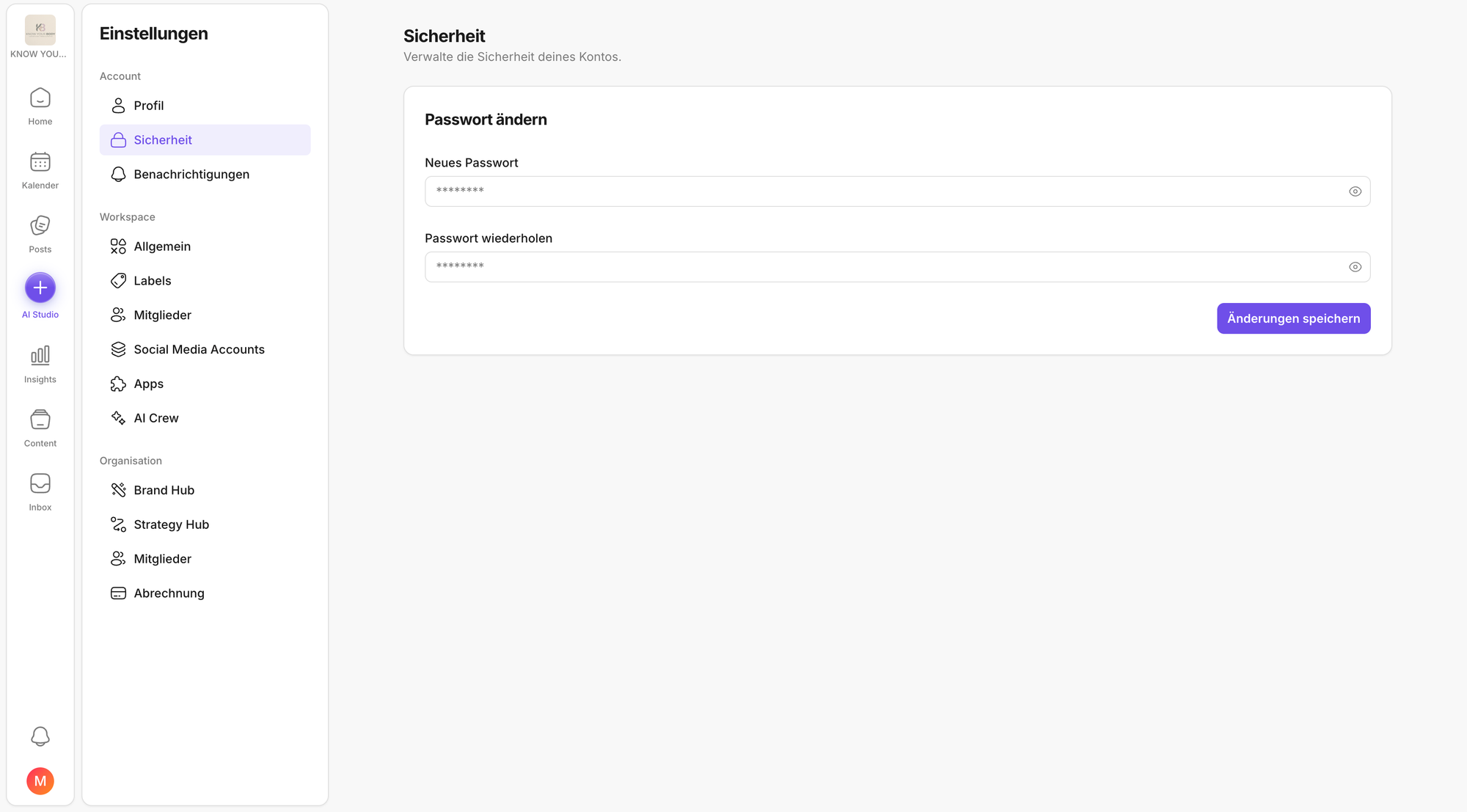
- Open the user menu at the bottom left via your profile picture and click Settings.
- In the left navigation, go to Account → Security.
- Click New password and enter a new one.
- Repeat your new password to confirm.
- Set your new password and save by clicking Save changes.
⚠️ Important: Your new password must be at least 8 characters long and contain at least 1 number and 1 letter.
What happens next
From your next login onwards, you can sign in to KNOWYOURCHAT with your new password.
Related articles to read next
If you're working on security and account access right now, these pages are often the next sensible steps:
- Account: profile, security, and notifications: Helps you quickly find the remaining account settings (profile and preferences).
- Editing your profile information: Handy if you also want to update your avatar, name, or time zone in the same step.
- User settings: If you want to set language and time zone properly so schedules are displayed correctly.
- Workspace settings: general: In case you use multiple workspaces and want to adjust the name or avatar for easier recognition.
- Introduction to your workspace: A good overview if you want to quickly reach the key areas (Home, Calendar, Posts, Inbox) after logging in.
Need personal help? Email us at support@knowyourchat.de