Scheduled Posts
This tile shows how many posts currently have a scheduled publication date. It helps you quickly assess how stable your content planning is for the coming days.
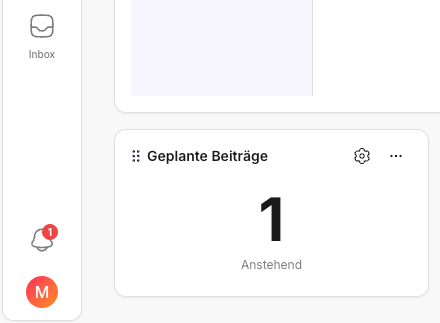
"Scheduled" does not mean "done" – it means: a post has a fixed slot in the Calendar and can therefore be cleanly integrated into the workflow (review, approval, publication).
In everyday work, this brings a lot of calm. You do not have to rethink every day what comes next; you can rely on the next publications already being in place. At the same time, you see early on if a step is still missing somewhere – for example a review or a final polish.
What does "scheduled" mean in KNOWYOURCHAT?
A post counts as scheduled when a publication date and time are set.
This brings two advantages:
- You can reliably see what goes out next.
- You can spot gaps early instead of improvising at the last minute.
How do you use the tile in everyday work?
Use "Scheduled posts" as a quick overview. Think of the tile like a glance at the fuel gauge: it does not tell you how good a post is, but whether you have "runway".
- If you check in the morning, you can see right away whether the week is "filled".
- In a team, the tile helps keep planning and approvals from drifting apart.
Best practices for stable planning
- Plan at least 2 posts in advance (ideally directly in the Calendar).
- Set a fixed planning slot per week (e.g. Monday, 30 minutes).
- If you work as a team, quickly clarify before planning:
- What still needs to go into review?
- What can be scheduled right away?
Recommended mini workflow
The process does not have to be complicated. What matters is that you regularly take one small planning step instead of trying to do everything at once.
- Create or finalize the post (in the AI Studio or in Posts).
- Get a review/approval if needed.
- Set a publication date (in the Calendar).
- Quickly check whether the next few days are evenly filled.
If you want to know after scheduling whether the post got off to a good start, look at Insights.
Quick start
If you want to quickly stabilize your planning today:
- Select two posts (or create them in the AI Studio or in Posts)
- Set dates (in the Calendar)
- Mark reviews for everything that still needs checking
✅ Rule of thumb: Planning is not an extra. It is the difference between "stress" and "routine".
🔗 Related pages
- You want to jump from Home straight into the right module: Jumping from Home into the right areas
- You want a short daily routine that secures planning early: Daily routine with Home (5-minute check)
- If dates are set but numbers seem delayed/unclear: Home logic: How are KPIs & Best Performer calculated?
- If you suspect a sync or account problem: Adding social media channels
Need personal help? Email us at support@knowyourchat.de