Published Posts: What It Means and Tips
This tile shows how many posts have already been published this month. It's the fastest indicator of whether your output is on track.
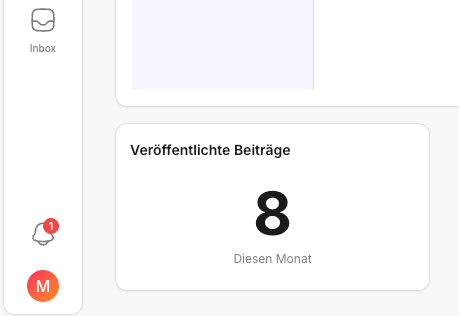
Important: the number isn't a quality verdict — it's a pacing tool. It helps you quickly see whether you're "producing" or whether something in the process is slowing you down.
What does the number really tell you?
- A high number usually means: publishing is running smoothly and you're active.
- A low number can mean three things:
- It's deliberately a quiet month.
- A lot was created but little was scheduled. (Then head straight to the Calendar.)
- There's a bottleneck in the workflow (often reviews or accounts). (More on this: Home logic: How are KPIs & best performers calculated?.)
🔍 If the number is lower than expected
That's rarely a "Home problem" — it's a pointer to the next sensible check.
- Check my reviews
If reviews are open, posts often get stuck in the last mile. A quick approval immediately puts speed back into the pipeline.
- Check upcoming posts
If nothing is scheduled there, output won't increase in the coming days. Then it's worth catching up on planning in the Calendar right away.
- Check connected accounts
If tokens/reconnects are due, posting (or data syncing) can stall. The fastest fix is usually: Adding social media channels.
Best practices for stable output
- Plan at least the next two posts in advance instead of doing everything "ad hoc" (in the Calendar).
- Work through reviews as a routine so posts don't sit idle.
- Use best performers as templates when you need a safe idea fast.
Quick start
If you want to stabilize output quickly, this order is all you need:
- Check connected accounts (if needed: Adding social media channels)
- Work through reviews
- Schedule two posts (in the Calendar)
✅ Rule of thumb: Output is often not a content problem but a process problem. Home shows you where to start.
🔗 Related pages
- You want to jump straight from the dashboard into the right module: Jumping from Home into the right sections
- You want a fixed daily routine: Daily routine with the dashboard (5-minute check)
Need personal help? Email us at support@knowyourchat.de