Organization: Brand Hub, Strategy Hub, Members, and Billing
Organization: Brand Hub, Strategy Hub, members, and billing
In the Organization area, you manage overarching fundamentals: brand and strategy context, organization members, and your subscription. This information helps the AI Crew and your team create content consistently and with your goals in mind.
If you're setting these things up right now, this is also a good starting point: Onboarding Overview: Get Started in Minutes.
1) Brand Hub (brand identity & goals)
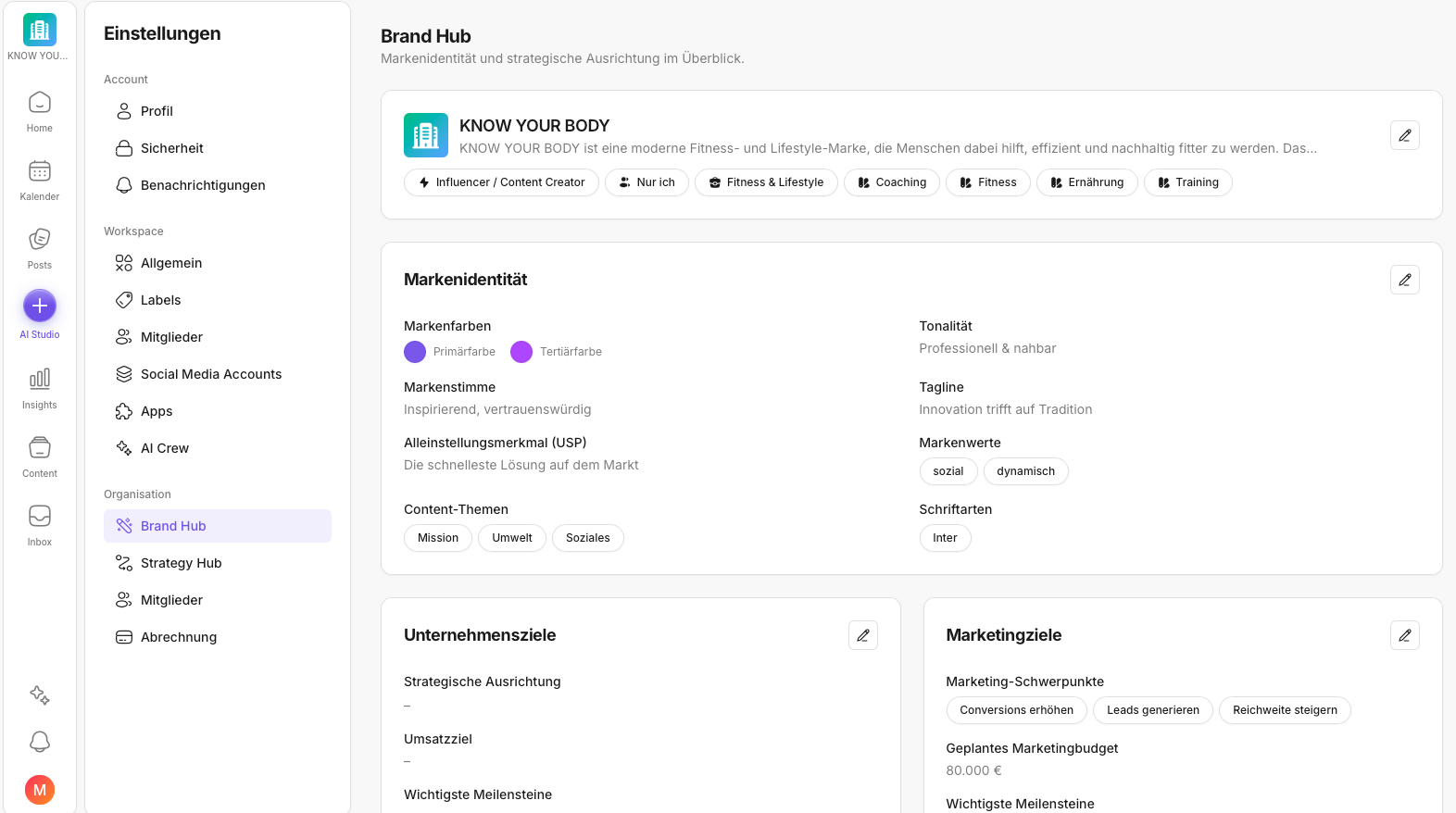
The Brand Hub is filled in automatically during onboarding as soon as you provide your company website. There you'll typically find:
- brand identity / positioning
- derived brand voice / tone characteristics
- company goals and marketing goals
You can adjust this content at any time.
💡 Tip: The better your company information & brand documents are (booklet, CI guideline), the more precisely the AI Crew can derive tone and content suggestions.
2) Strategy Hub (have a strategy created or maintain it yourself)
In the Strategy Hub you can:
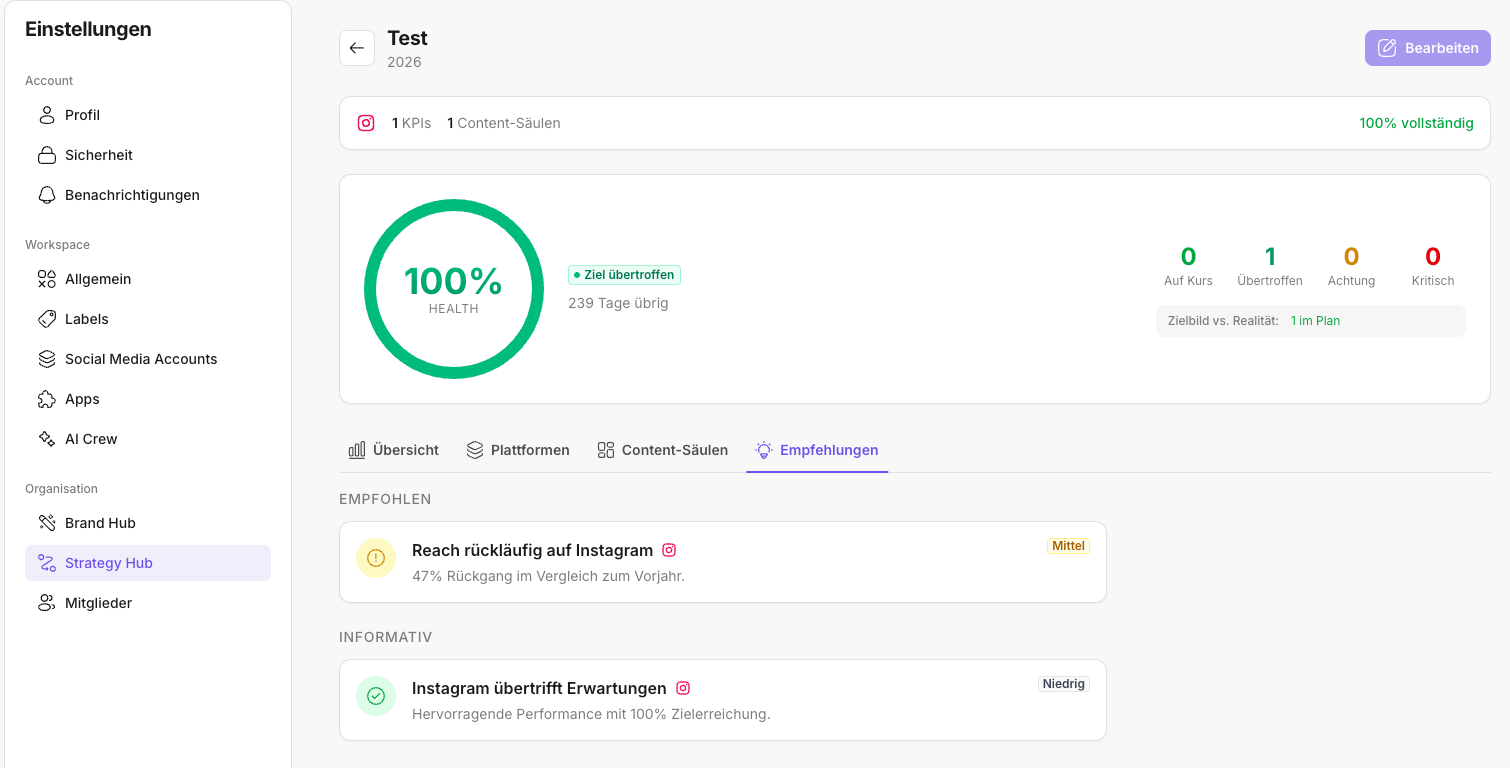
- have a strategy created for you (e.g. social media strategy/content strategy)
- or create and iterate strategies yourself
The strategy typically builds on your goals and your brand identity.
Afterwards, you'll find an overview here of how your platforms are performing, your defined content pillars, and recommendations.
3) Members (organization)
Under Organization → Members, you manage organization members.
Important:
- Organization members are not automatically members of a specific workspace.
- However, when you invite someone to a workspace, that person is added as an organization member in the process.
4) Billing
Under Billing, you can see your current subscription plan and the workspace's usage.
Why this area helps in everyday work
When the Brand Hub and strategy are maintained, your work in KNOWYOURCHAT becomes much more consistent:
- the AI Crew better understands tone, goals, and priorities
- strategic guidelines are easier to translate into posts and plans
- team members work with fewer questions and fewer style breaks
✅ Quick start: Briefly check the Brand Hub (do tone & goals fit?) → capture a first strategy in the Strategy Hub → maintain members → check your subscription.
Related pages (helpful in this context)
When you maintain goals and strategy, these areas are often the next sensible steps:
- Setting Goals During Onboarding
So that goals, AI context, and workflows fit together cleanly. - Onboarding Overview: Get Started in Minutes
If you want to walk through the setup path "properly" once. - How Do I Manage Members (Workspace)?
So it's clear who decides, approves, and takes responsibility. - Managing Labels (Workspace)
So strategy becomes visible in everyday work as formats/campaigns/priority. - Posts
This is where you turn goals into concrete content, workflows, and publications. - Inbox
This is where you see how your content resonates with the community and keep your replies consistent. - Insights
This is where you measure whether your content contributes to your defined goals. - AI Features
Once your goals are clear, the AI Crew can make much more fitting suggestions. - How Do I Manage My Social Media Accounts?
Important so that posting, the Inbox, and Insights work reliably in the first place. - Adding Social Media Channels
All step-by-step guides for connecting individual platforms.
Need personal help? Email us at support@knowyourchat.de