Account: Profile, Security, and Notifications
Account settings: Profile, Security & Notifications
This area is all about you personally. Here you edit your profile, manage security (password), and choose which notifications you want to receive via email or push.
Language, region, and time zone in particular matter in everyday use: if something is off here, schedules or time displays quickly look "wrong" even though the content itself is correct.
If you first want to get an overview of all the settings available (Account, Workspace, Organization), start here: Settings: Overview.
1) Profile
Under Settings → Account → Profile you can manage the following details:
- First name and last name
- Email address
- Job title
- Bio
You will also find Language & Region here:
- Language
- Time zone
- Date format
- Time format
These settings affect, among other things:
- how times are displayed in the Calendar
- how dates and times appear in your Workspace
2) Security
Under Settings → Account → Security you can change your password.
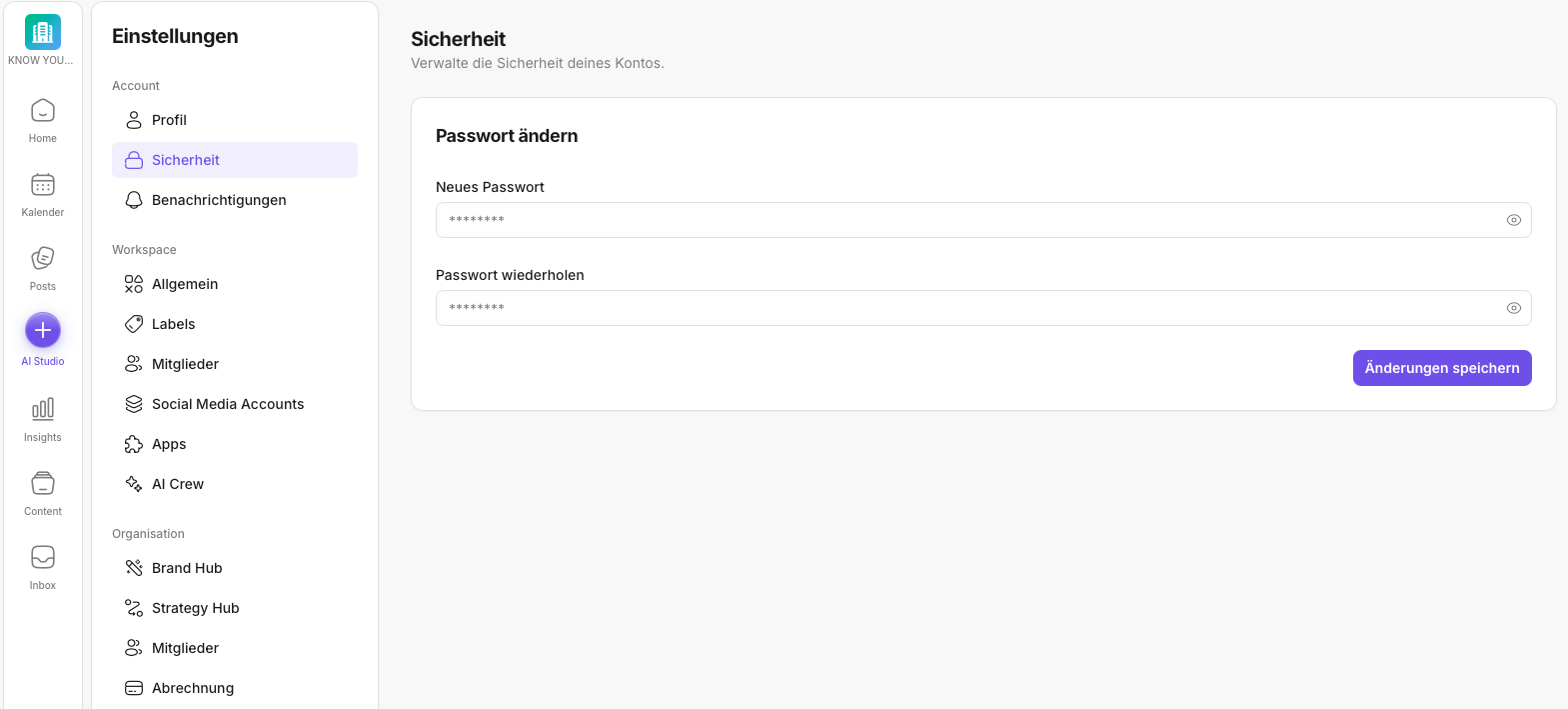
If you want to change your password, here is the step-by-step guide:
3) Notifications
Under Settings → Account → Notifications you control email notifications:
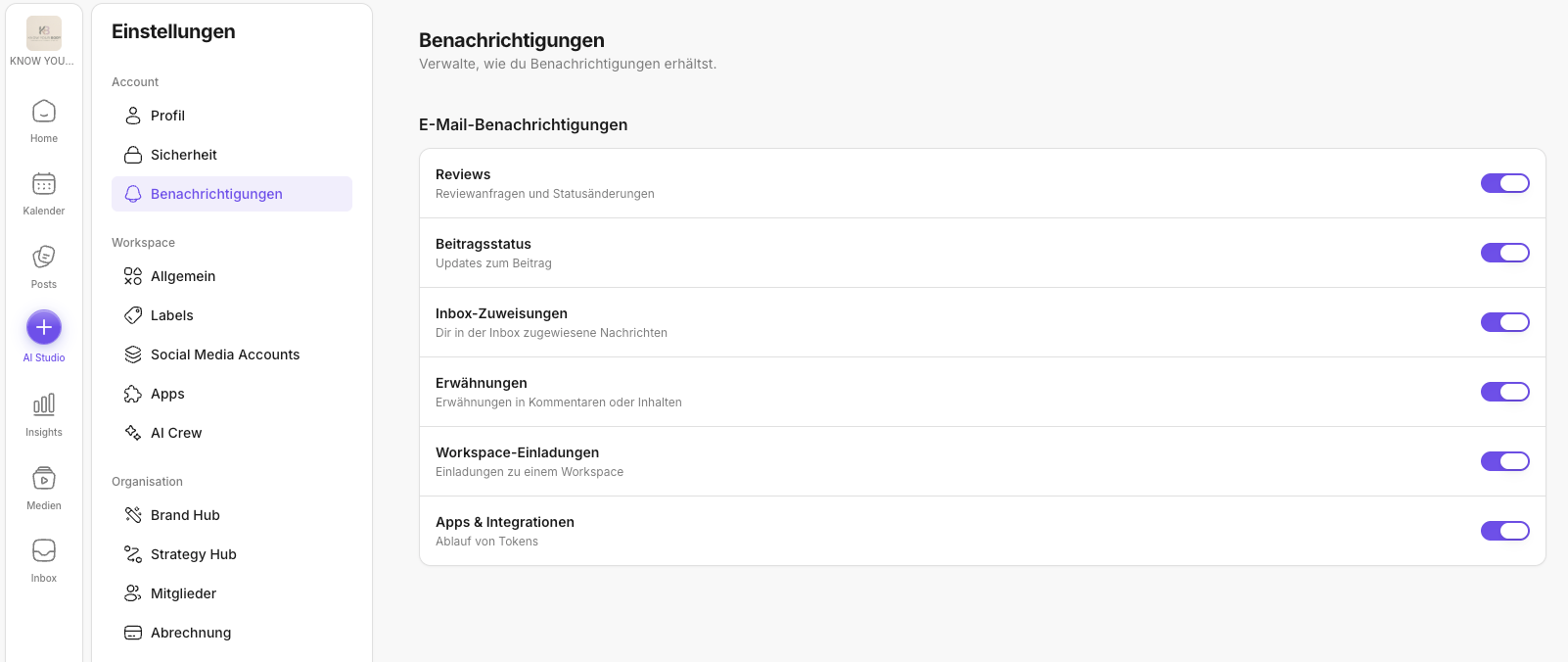
This lets you decide which events you want to be informed about (e.g. tasks/updates – depending on your setup).
✅ Quick start: Fill in your profile properly once, then check language/time zone/format. That prevents most misunderstandings around scheduling and collaboration.
Further reading (related topics)
- Settings: Overview – see where account topics fit into the big picture.
- Edit profile information – adjust your profile, language, and time zone.
- How do I change my KNOWYOURCHAT password? – password reset and security.
- Notifications – if you expect alerts for reviews/Inbox/events.
- Calendar – check how times and scheduling are displayed.
- Mobile use – if login/security on the go is relevant for you.
- KNOWYOURCHAT Glossary – terms around account, time zone, and security.
Need personal help? Email us at support@knowyourchat.de