Notifications
🔔 Notifications in KNOWYOURCHAT
Notifications help you and your team not miss anything. You receive updates directly in KNOWYOURCHAT as push notifications and, depending on your role, additionally by email.
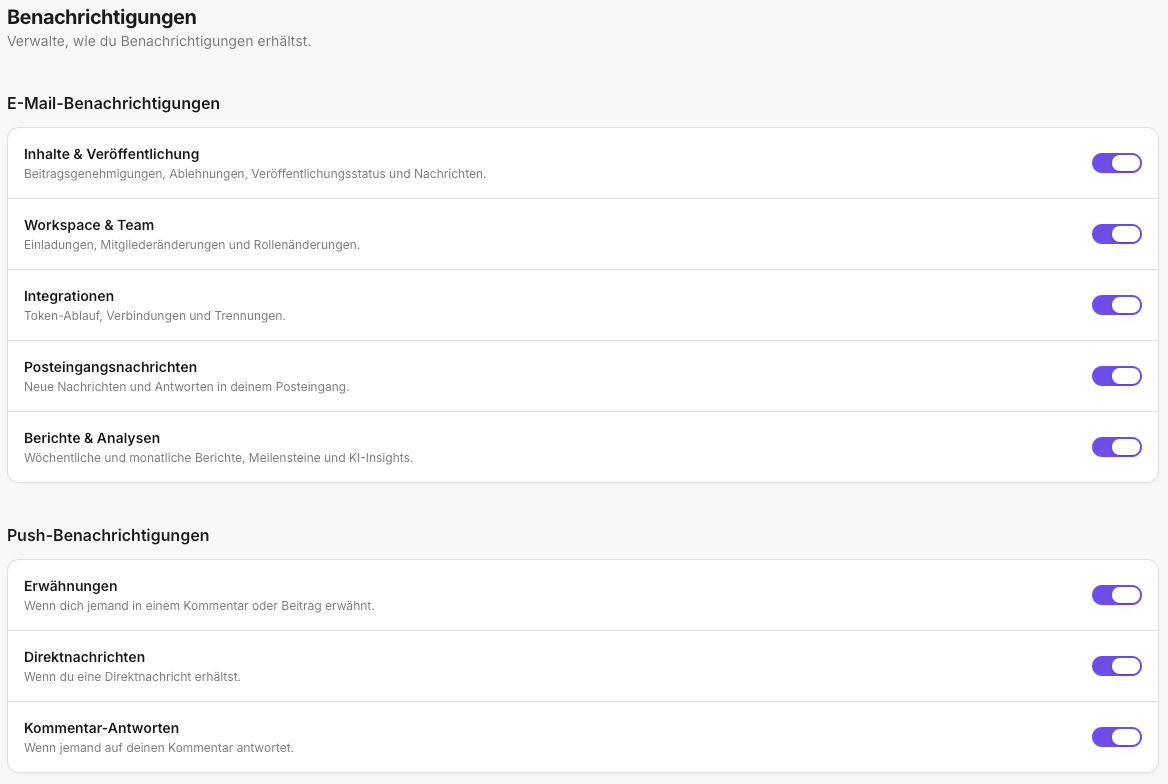
Which notifications are there?
1) In-app
In KNOWYOURCHAT, notifications appear as pop-ups when something needs your attention, for example:
- A post is assigned to you for approval.
- A post is assigned to you for editing or publishing.
2) Email notifications
In addition, emails can be sent if you have the corresponding responsibilities or roles.
Typical examples:
- You are set as the person responsible for approvals.
- A post was assigned to you and is waiting for your next step.
- There are changes that require another review.
Who receives which notifications?
This depends on your roles and permissions in the workspace.
If you're unsure why you're not receiving emails (yet), check your role in the workspace.
Everyday tip
- Use in-app pop-ups for quick reactions.
- Use emails as a "backup" when you're not in KNOWYOURCHAT all the time.
Related articles for further reading
In practice, notifications are often tied to responsibilities and workflows. If you want to dig deeper, these pages will help:
- How Do I Manage Members (Workspace)? Useful if notifications are missing because roles or access rights aren't set up correctly.
- Posts: Helpful because many notifications revolve around editing, approval, and post status.
- Introduction to the Activity Log: Practical if you want to trace what happened to a post and why another step was triggered.
- Inbox: When you assign, complete, and cleanly document messages as a team, notifications play an important role.
- Account: Profile, Security, and Notifications: Helps you find the personal account areas in case you also want to check your profile or security while adjusting settings.
Need personal help? Email us at support@knowyourchat.de