Editing Your Profile Information
👤 Editing your profile information in KNOWYOURCHAT
In your profile, you manage your personal details and basic settings so that KNOWYOURCHAT fits you and your daily work.
What you can change in your profile
- Avatar / profile picture (upload)
- First name and last name
- Email address (change via "Change")
- Job title
- Bio
- Language of the interface
- Time zone for all times shown in KNOWYOURCHAT
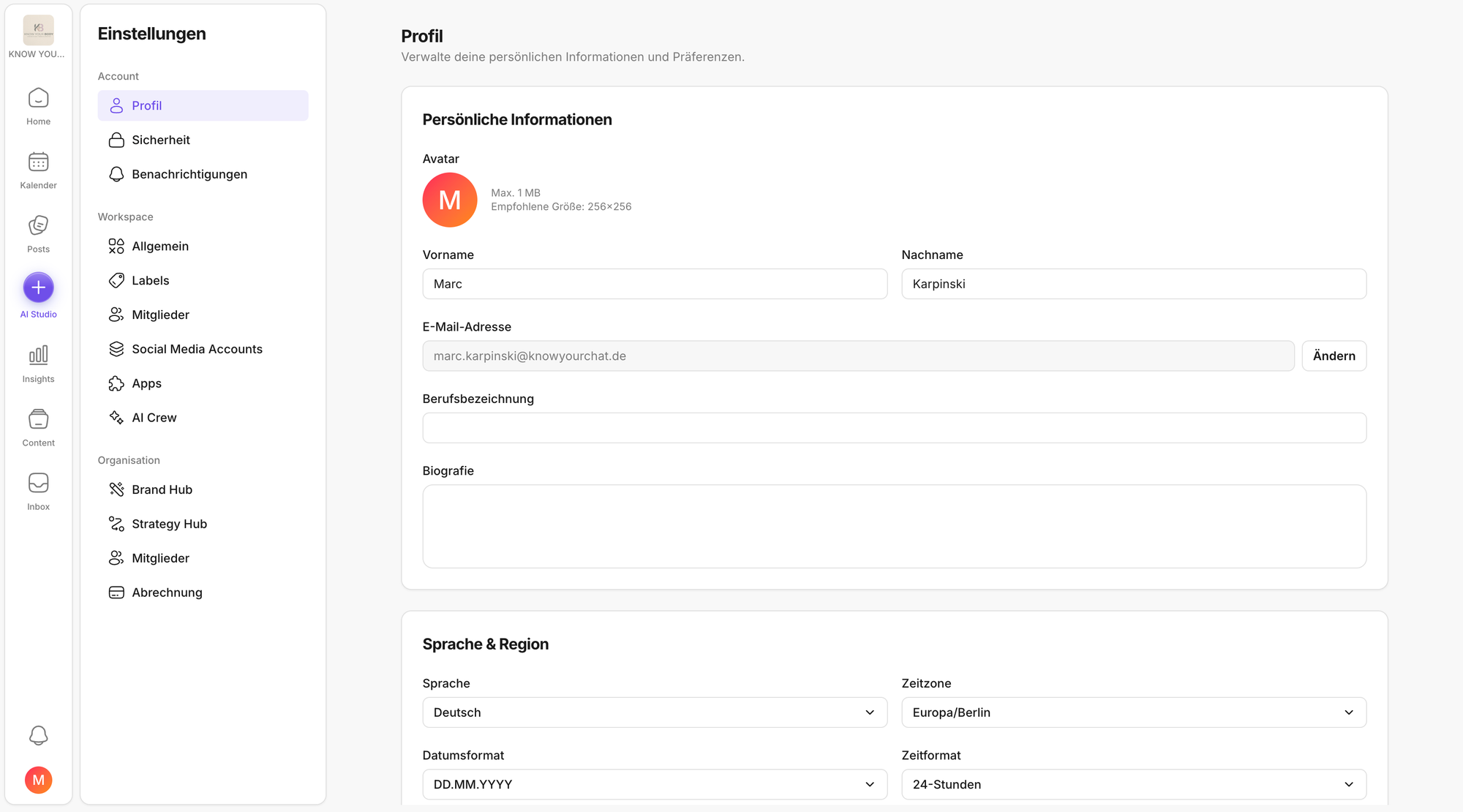
How to find your profile information
- Click your profile name at the bottom left and open Settings.
- By default, your profile opens right away.
- Otherwise: go to Account → Profile.
Saving changes
Once you've adjusted any fields, click Save changes at the bottom.
💡 Tip: The time zone only changes the display of times in KNOWYOURCHAT. Already scheduled publishing times remain unchanged.
Related articles to read next
After profile changes, you'll often run into similar topics in practice. These pages help you find the next step right away:
- User settings: If you mainly want to set language and time zone properly.
- Account: profile, security, and notifications: Gives you an overview of which account topics live where (profile, preferences, security).
- How do I change my KNOWYOURCHAT password? Useful if you also want to refresh your security while updating your profile.
- Calendar: Handy if you want to check how scheduled posts are displayed after a time zone change.
- Introduction to your workspace: Helps if you want to move faster through Home, Calendar, Posts, and Inbox after setup.
Need personal help? Email us at support@knowyourchat.de